In an era where remote video conferences, cloud ERP systems, VoIP phones, and real-time collaboration tools run non-stop, an unstable office network translates straight into lost business and team frustration.
As office teams expand beyond 10 workstations, home-grade Wi-Fi routers supplied by internet service providers quickly choke under concurrent video conferences, cloud uploads, and printer traffic.
Why Consumer Routers Fail in Commercial Offices
Many startup and SME offices attempt to operate 20 to 50 connected devices on a single consumer ISP-provided router. Consumer routers lack the CPU capacity, active memory, and MU-MIMO antennas to coordinate simultaneous high-bandwidth streaming, video calls, and file transfers.
Core Architecture for a Stable Office Network
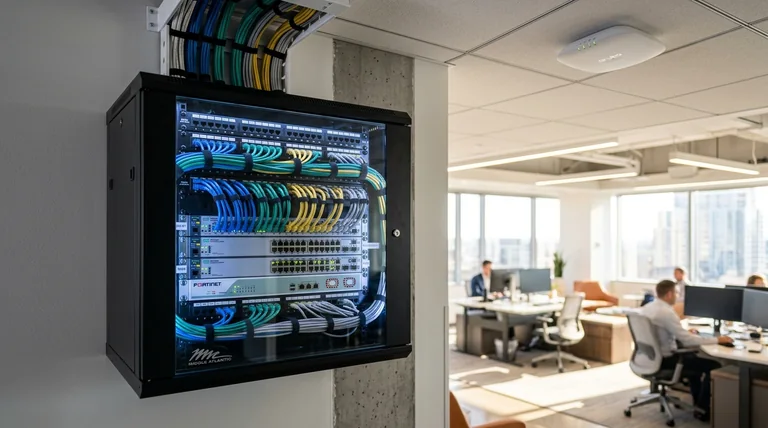
- Dedicated Gateway / Firewall: Deploy a managed firewall (e.g. pfSense, Ubiquiti UniFi, or Fortinet) with dual WAN load balancing for automatic backup internet failover.
- Ceiling-Mounted Access Points: Install PoE (Power over Ethernet) access points evenly spaced to prevent dead spots in conference rooms.
- VLAN Network Segmentation: Separate Staff devices, VoIP phones, IoT devices (security cameras, smart TVs), and Guest Wi-Fi into isolated subnets.
- Gigabit Managed Switches: Ensure wired drops for desktop PCs, network printers, and NAS storage.
1. Separate Static Workstations from Mobile Laptops
Desktops, network printers, VoIP desk phones, and storage servers should always be connected via physical Cat6 Ethernet cabling through gigabit switches. This frees up wireless airtime strictly for mobile laptops and smartphones.
2. Deploy Ceiling-Mounted Access Points with Roaming
Instead of placing a router behind a cabinet or wall, install commercial PoE (Power over Ethernet) access points centrally mounted on the ceiling. Mesh controllers automatically shift devices to the strongest signal without dropped Zoom or Teams calls.
3. Establish a Dedicated Guest Network
Never give visitors or contractors direct access to your primary office Wi-Fi network. Segregating a separate VLAN for guest internet prevents unauthorized access to internal file servers and accounting databases.
4. Implement Routine Maintenance Contracts (AMC)
Firmware bugs, cable damage, and port failures occur over time. Regular preventive maintenance through an IT AMC contract ensures firmware updates are installed, ports tested, and network health documented consistently.
Upgrade Your Office Connectivity
Schedule an on-site network audit with Hatim Computers in Hyderabad.